
iterm2 的快捷键用着太难受了,尤其是移动光标,简直反人类。
自带终端的又单调了点,默认配色白瞎眼。
我想找一款终端,支持 option + 方向键跨单词移动,这样就不用连续按←或者→了。
同时支持 option + delete 删除单词,command + delelte 删除当前行,操作逻辑跟 typora 一致。
如果没有默认这样的终端,那么如何才能够让原有的终端快捷键设置成这样呢?
iterm2 的快捷键用着太难受了,尤其是移动光标,简直反人类。
自带终端的又单调了点,默认配色白瞎眼。
我想找一款终端,支持 option + 方向键跨单词移动,这样就不用连续按←或者→了。
同时支持 option + delete 删除单词,command + delelte 删除当前行,操作逻辑跟 typora 一致。
如果没有默认这样的终端,那么如何才能够让原有的终端快捷键设置成这样呢?
 |
dcalskyMay 5, 2020
1
你说的这些,item2 都可以,你没设置正确而已。
|
 |
2
@dcalsky 是啊,不太懂默认的快捷键逻辑,而且网上也找了一些,文不对题。
|
|
3
Preferences -> Profiles -> Keys -> Load Presets -> Natural Text Editing.
|
 |
1002xinMay 5, 2020
4
要不看下我之前写的 iTerm2 帖子,应该算是比较好看了吧
|
 |
jdhaoMay 5, 2020 via Android
5
你不管用哪个 terminal,它都需要你配置,学习怎么配置就行了。
|
 |
idlerlestatMay 5, 2020
6
在 bashrc 里设置 vi 模式,然后按 vi 用就行,不管哪个终端都行
|
 |
VolekingsgMay 5, 2020
7
macOS 基本上所有地方都支持 GNU Readline shortcut,你说的这些基本上应该都是默认支持了(除了 option + 方向键,但 iTerm 中应该也可以设置)
|
 |
KobayashiMay 5, 2020 via Android
8
terminal != shell. 对于键入的内容修改归 shell 管。bash 依赖的是 readline,man readline 自己看。zsh 不依然 readline,使用自己实现的 ZLE,翻手册自己查。
|
|
9
@1002xin 是这个帖子吗? [前两天答应的--打造高颜值的 iTerm2 - V2EX (3)]( https://www.v2ex.com/t/608399?p=2)
|
|
1002xinMay 5, 2020
10
@orangutan92 对
|
 |
hronroMay 5, 2020
11
shell 换成 fish 就可以用 option + 方向键移动了
|
 |
darksword21May 5, 2020 via iPhone
12
可以用 emacs 的快捷键移动单词
|
 |
VingeRayCNMay 6, 2020 via iPhone
13
hyper 颜值在线
|
 |
Clay0620May 6, 2020
14
你说的这些快捷方式,karabiner-elements 可以帮你,哈哈,不只是终端,全局都可以,另外我就是默认终端+zsh
|
|
15
@CY4suncheng 这个软件不错呢,只是全局改了 vscode 里面也变了……
|
|
Clay0620May 7, 2020
16
@orangutan92 我就喜欢所有的文本类工具都是同一套快捷键。。。这样用起来不是更好么?
|
|
17
@CY4suncheng 很容易冲突呀,而且冲突了很难找到
|
 |
EvilDevilJinMay 7, 2020
18
颜值党,用的 Hyper
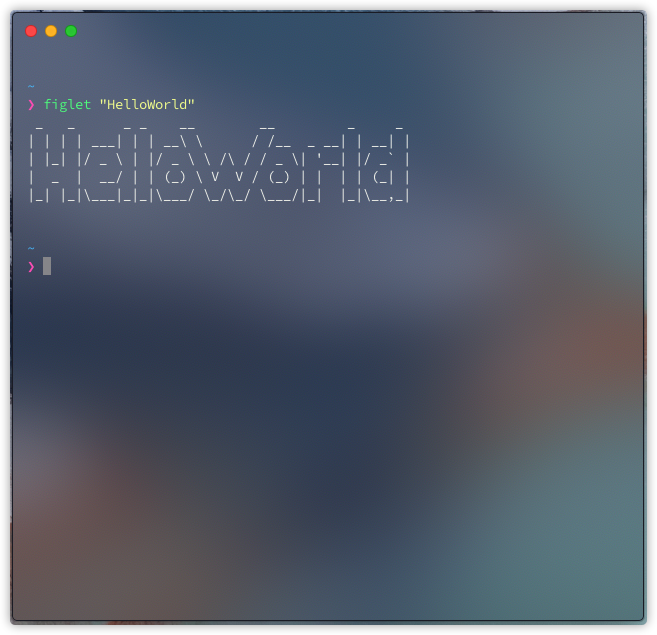 |
 |
ihwbunnyMay 8, 2020
19
macOS 自带 teminal 就可以 option + 方向键,就可以在单词间跳光标
|
|
Clay0620May 8, 2020
20
@orangutan92 我用下来感觉还好
|
 |
longgediyi999May 8, 2020
21
这个是跨单词解决方案 分别修改 option+←和 option+→的映射如下图所示,选择 Action 为“Send Escape Sequence”,然后输入“b”和“f”即可 网上查到的
|
 |
iuhiyuhJan 16, 2021
22
直接用 vscode
|
 5
 Select Language