爱意满满的作品展示区。

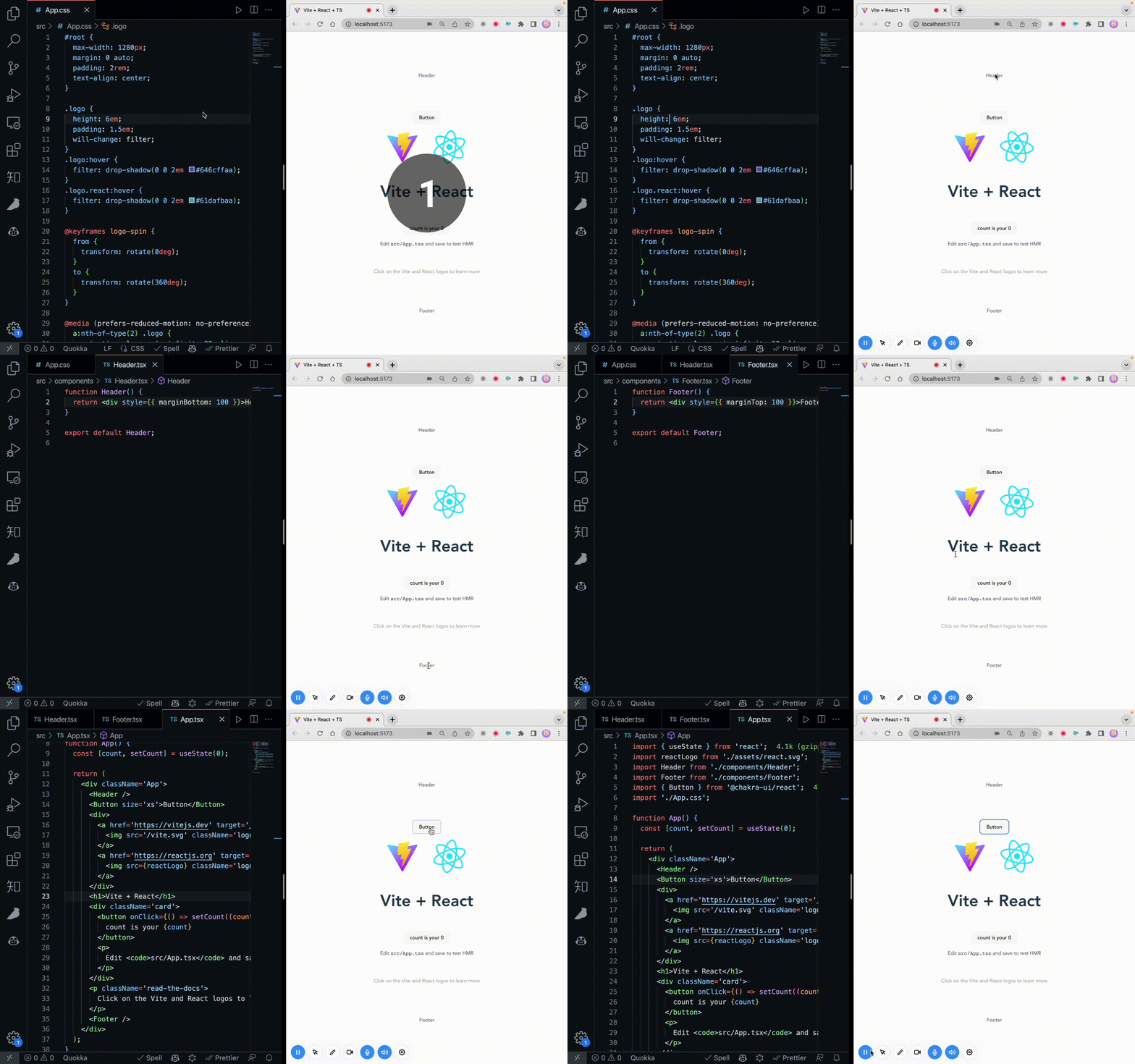
[Chrome 插件] 写了一个针对 React 项目本地开发时,点击页面上对应元素即可跳转到编辑器对应组件位置的 Chrome 插件
you222 · Jan 11, 2023 · 3918 viewsThis topic created in 1407 days ago, the information mentioned may be changed or developed.
 |
no13busJan 11, 2023
1
好神奇,这是啥原理
|
 |
djsJan 11, 2023
2
这个好呀,先 mark 下
|
 |
3
随着 React 项目越来越大,在本地开发时经常会遇到这样一个场景,想改页面上的一个功能,但是比较难去找到这个功能在编辑器中对应的页面 & 组件的位置。这时候使用本插件可以支持一键点击页面元素跳转到编辑器对应文件的行数。
|
 |
cationJan 11, 2023
4
赞一个, 有些是动态展示的 dom 不知道能不能支持。
|
|
5
@no13bus 主要是通过 babel-plugin-transform-react-jsx-source 这个 babel 插件去拿到 dom 节点的文件信息来实现跳转打开到对应的位置
|
 1
 |
shuxge1223Jan 11, 2023
7
好像在 producthunt 看到类似的项目 是你吗
|
 |
8
LocatorJS 专门做这个的
|
 |
loopppppJan 11, 2023
9
太强了,赞赞赞
|
 |
10
很好用,赞赞赞。
|
 |
rookiebullsJan 11, 2023 via iPhone
11
刚好能解决我现在老项目碰到的问题,试用一下
|
 |
zhuangpipiJan 11, 2023
12
确实好用
|
 |
buryJan 11, 2023
13
看起来很不错!
|
 |
angithJan 11, 2023
14
牛皮
|
 |
randomstreamJan 11, 2023
15
记得好像 Vue 那边也有人做过了?
|
 |
zthxxxJan 11, 2023
16
楼主做的挺好的,比这个的实现简洁 https://github.com/zthxxx/react-dev-inspector
|
 |
sechiJan 12, 2023
17
|
 Select Language